 Omelette.






Your business card, one scan away.
PassB keeps your card, your sharing and the people you meet in one app. Show your QR, send a link or tap phones. The other person opens your card in their browser and saves you to their contacts. They do not need PassB.
Free, with no ads. Pro and Teams are optional. The iPhone app is in review at the App Store.
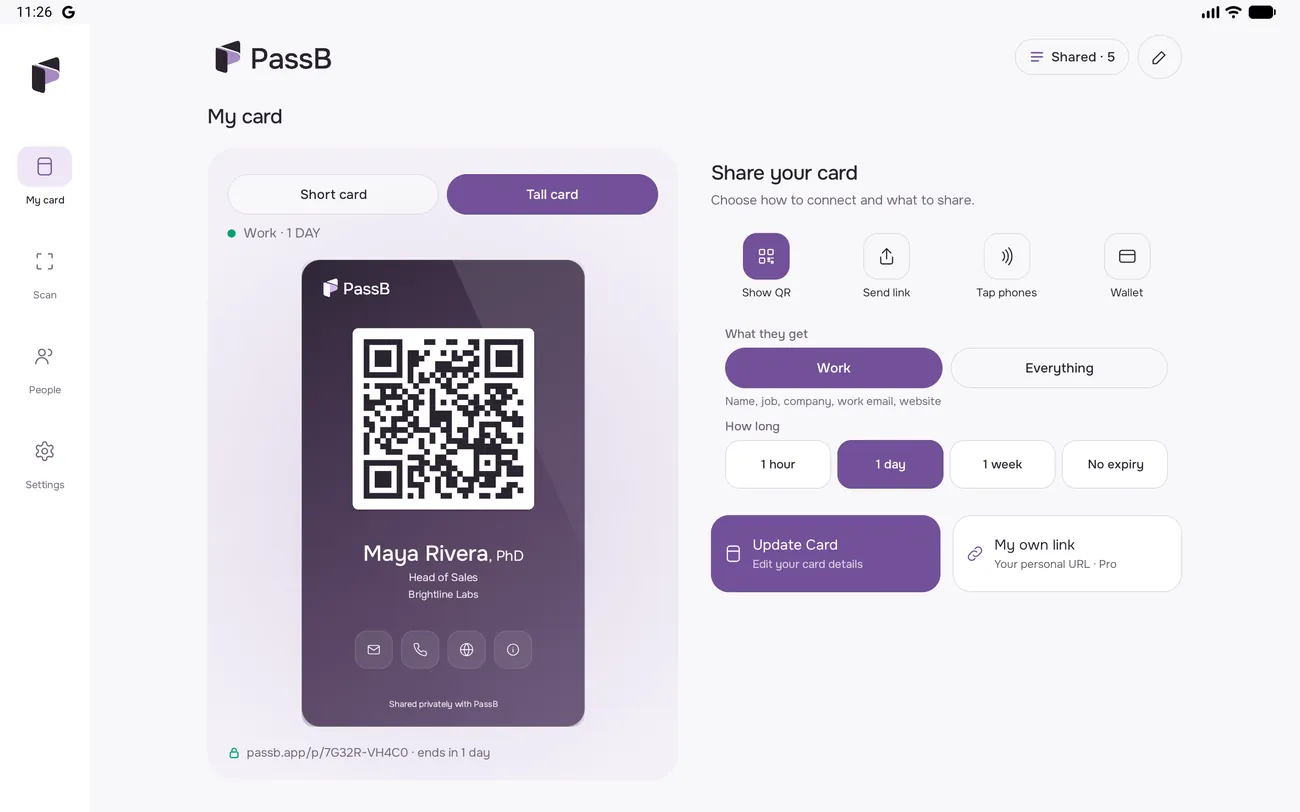
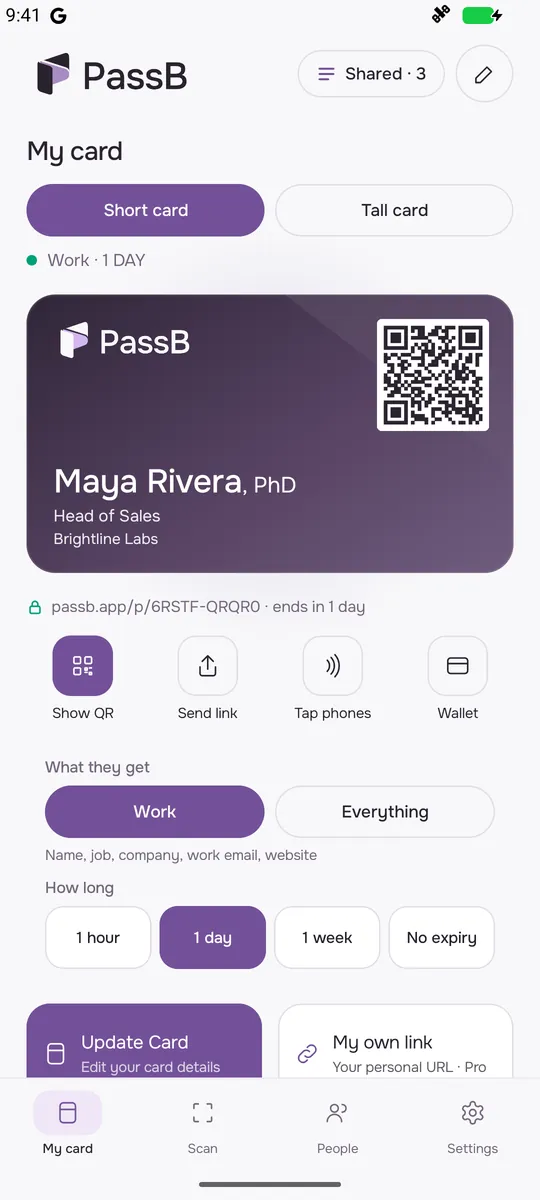
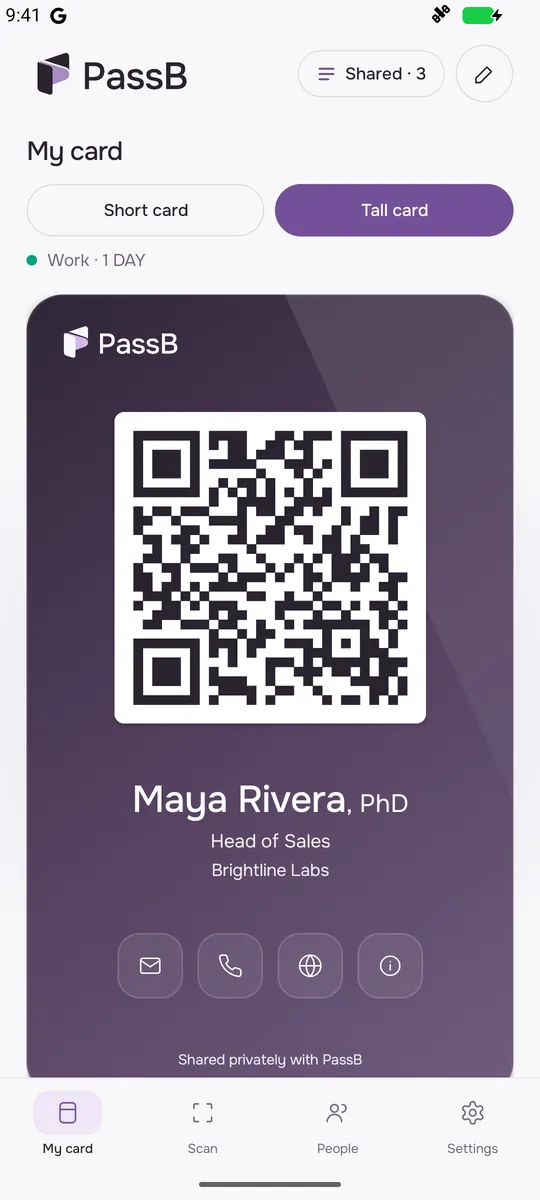
A card that looks like you.
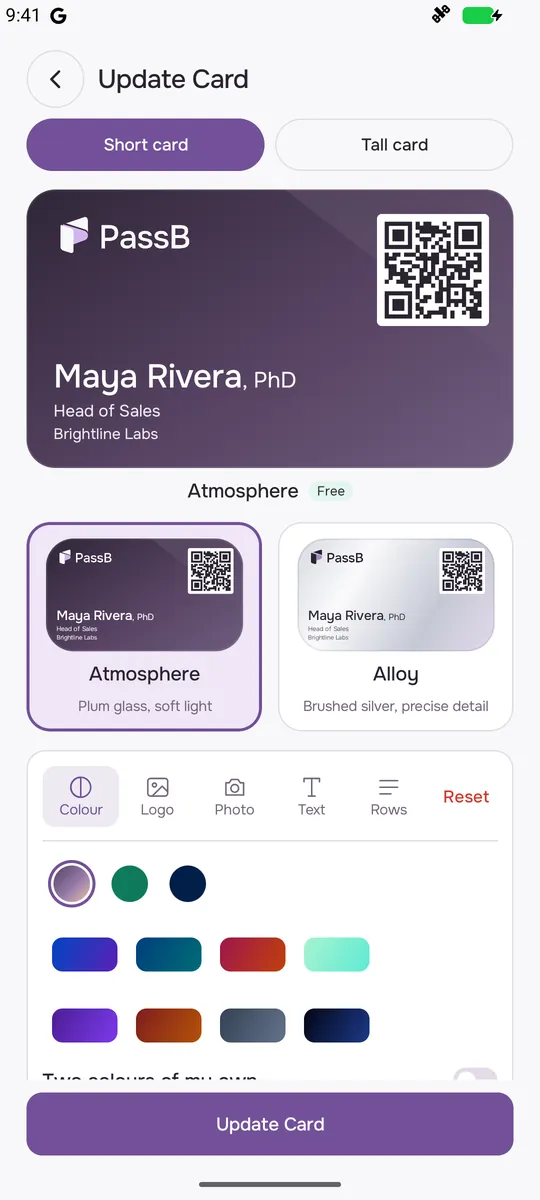
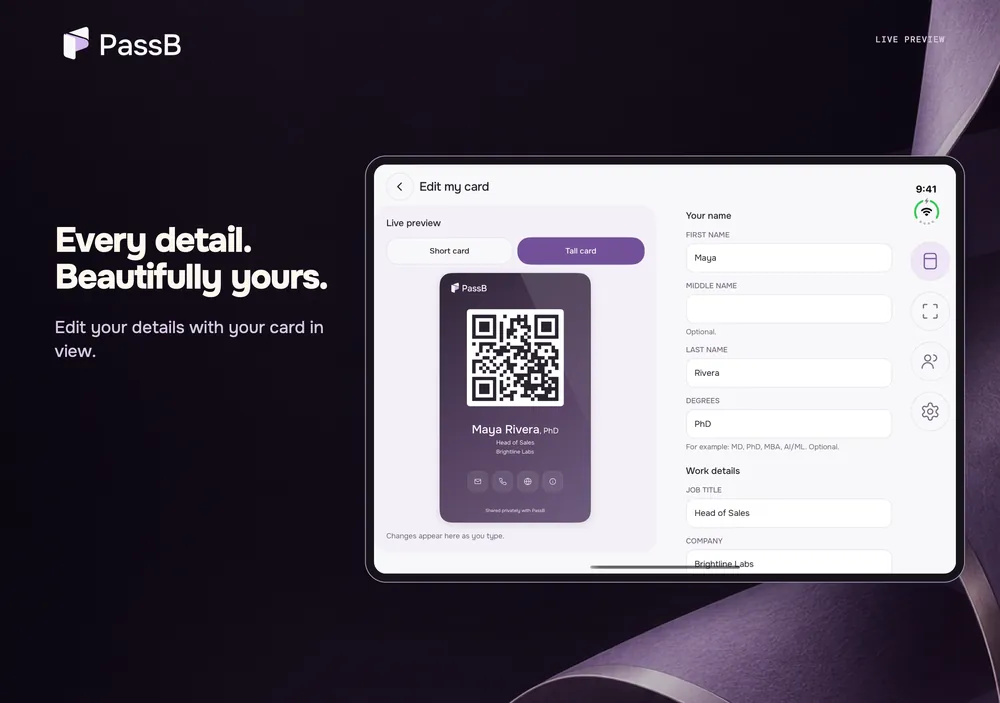
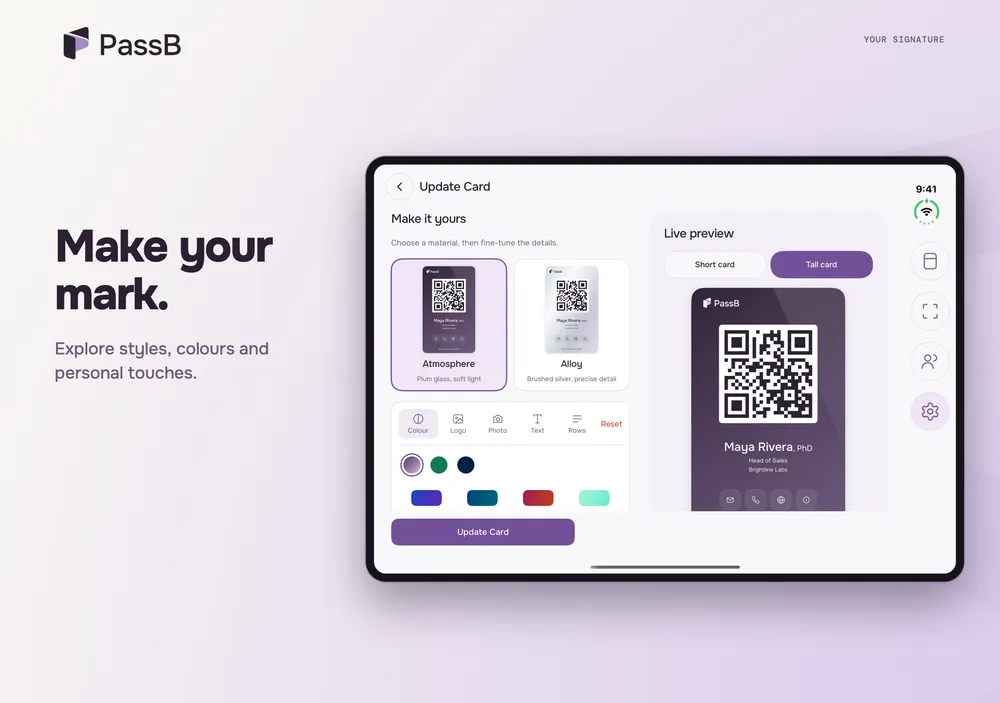
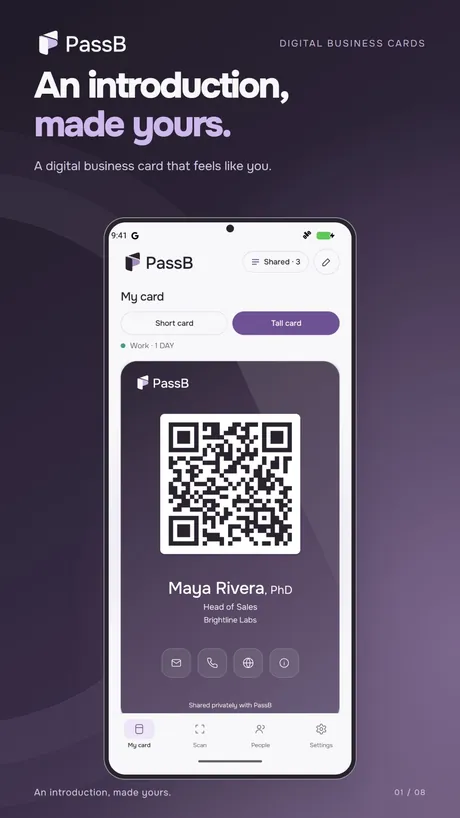
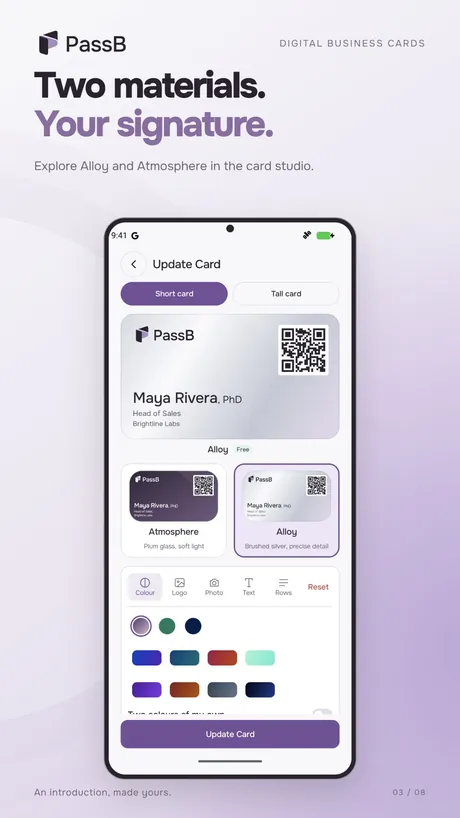
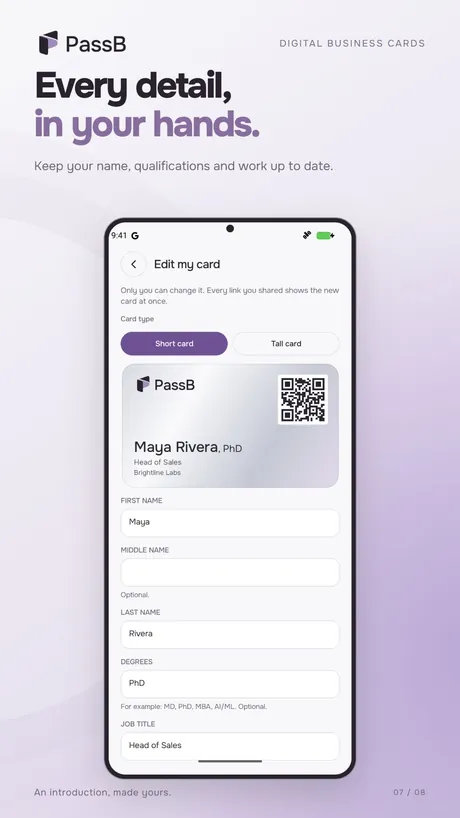
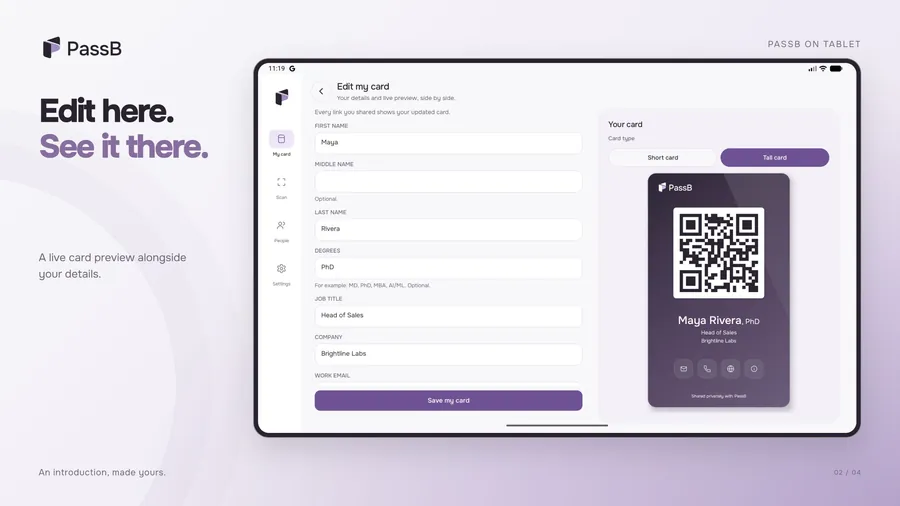
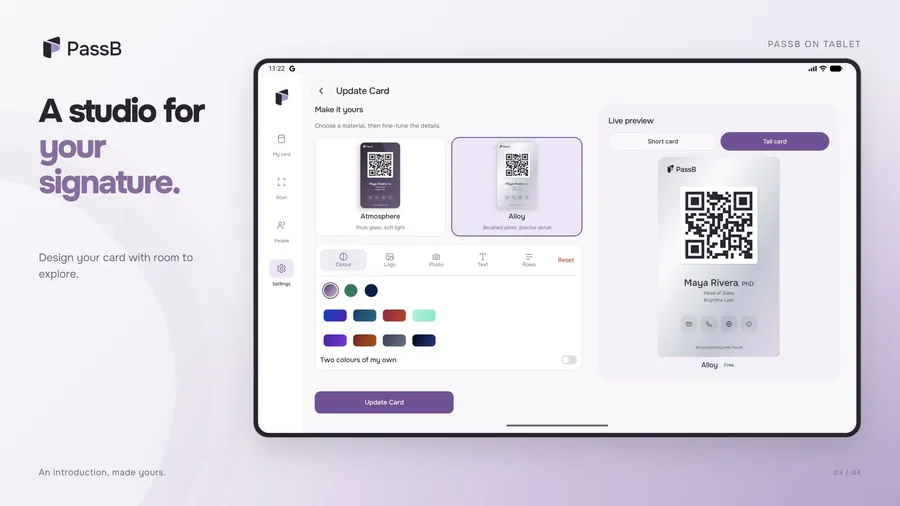
Pick a Short card or a Tall card, in Alloy or Atmosphere. Add your name, job, company, email, website and mobile.
- Two card types, Short and Tall, free in Alloy or Atmosphere
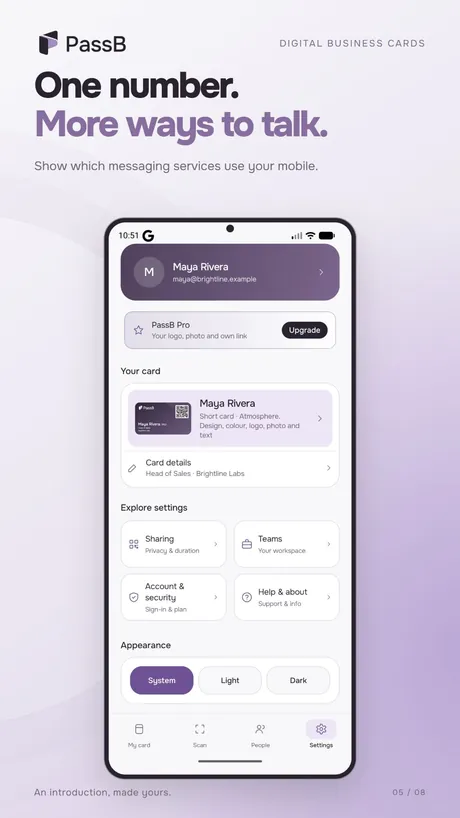
- Show if your number is on iMessage, WhatsApp or Telegram
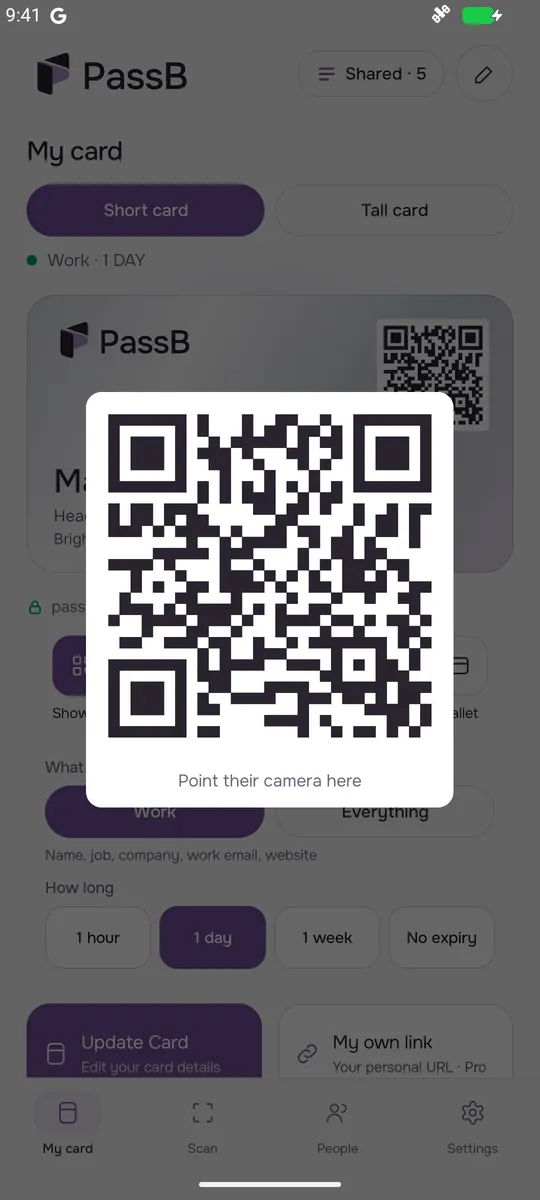
- Show your card full screen and bright, for easy scanning
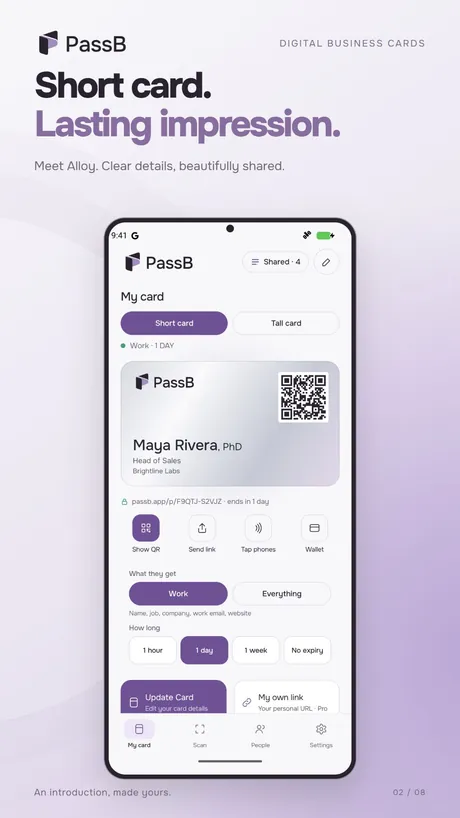
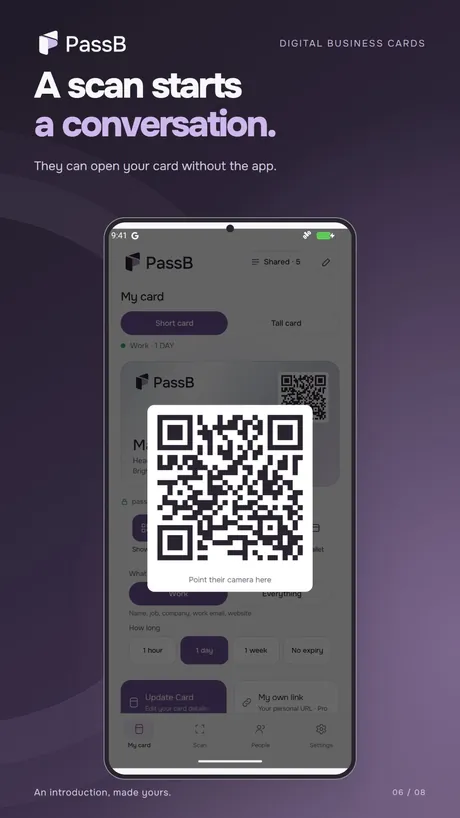
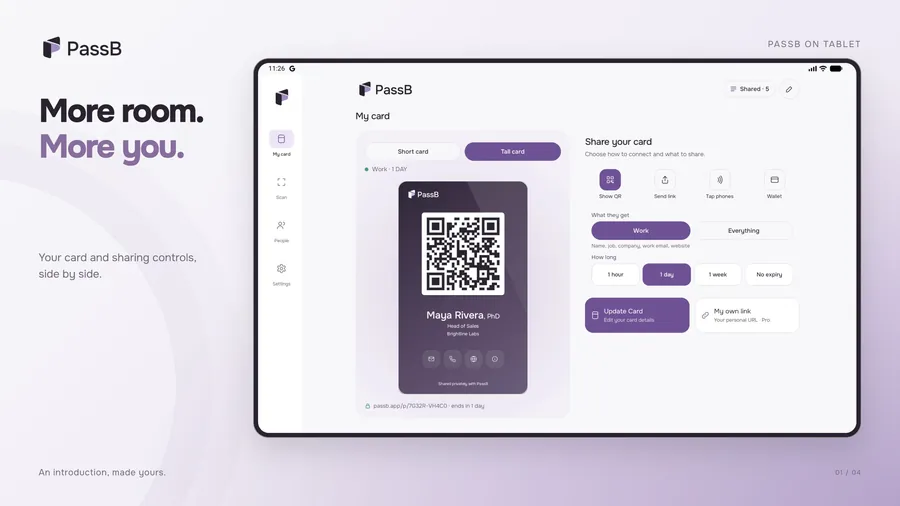
Show a QR. Send a link. Tap phones.
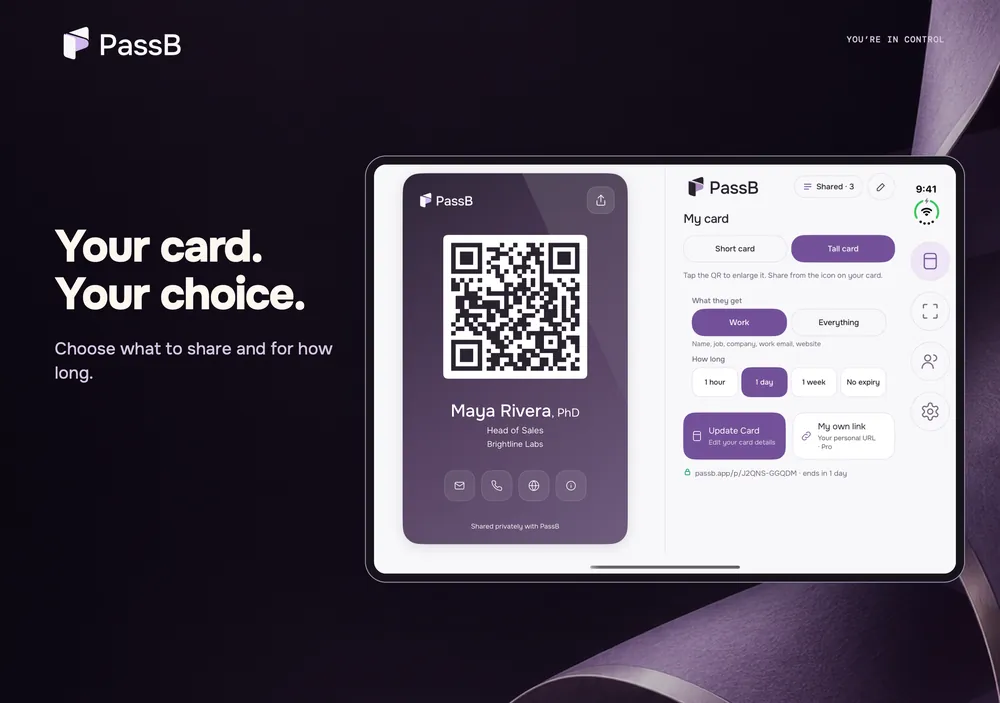
Every share makes a new private link with its own rules.
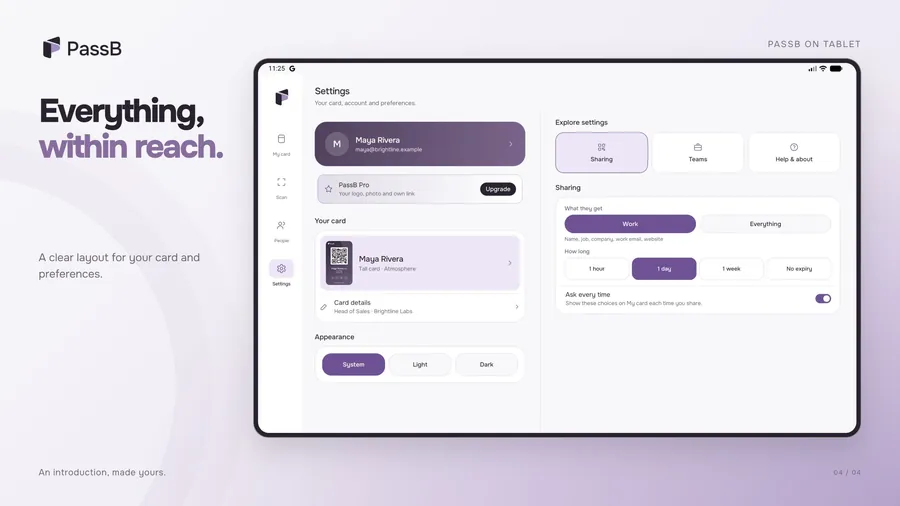
- Choose what they get: Work details, or Everything
- Make a link last 1 hour, 1 day, 1 week, or until you stop it
- Shared with: every link you made, and how many times it was opened
- Stop any link with one tap, and it shows nothing from then on
Keep everyone you meet in one place.
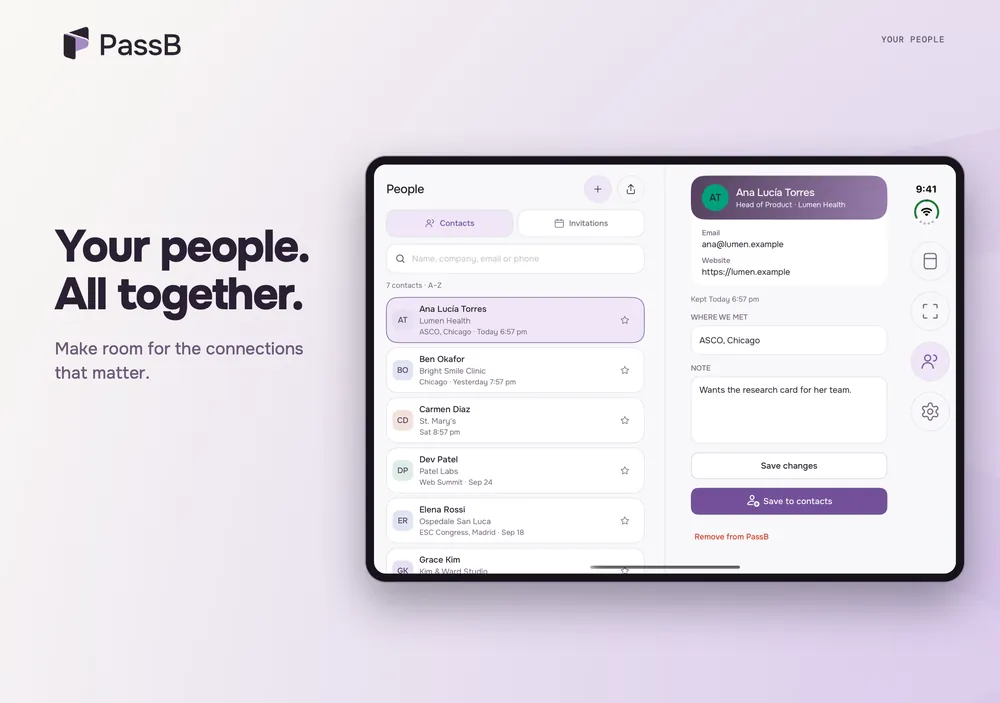
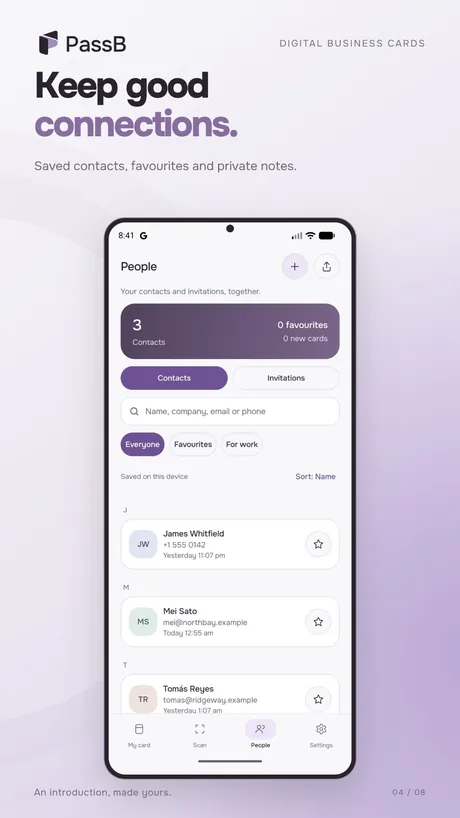
Scan someone's card, then find them again later.
- Scan a PassB or vCard QR code, or read one from a photo
- Save people, add private notes, mark favourites and search
- People stay on your phone
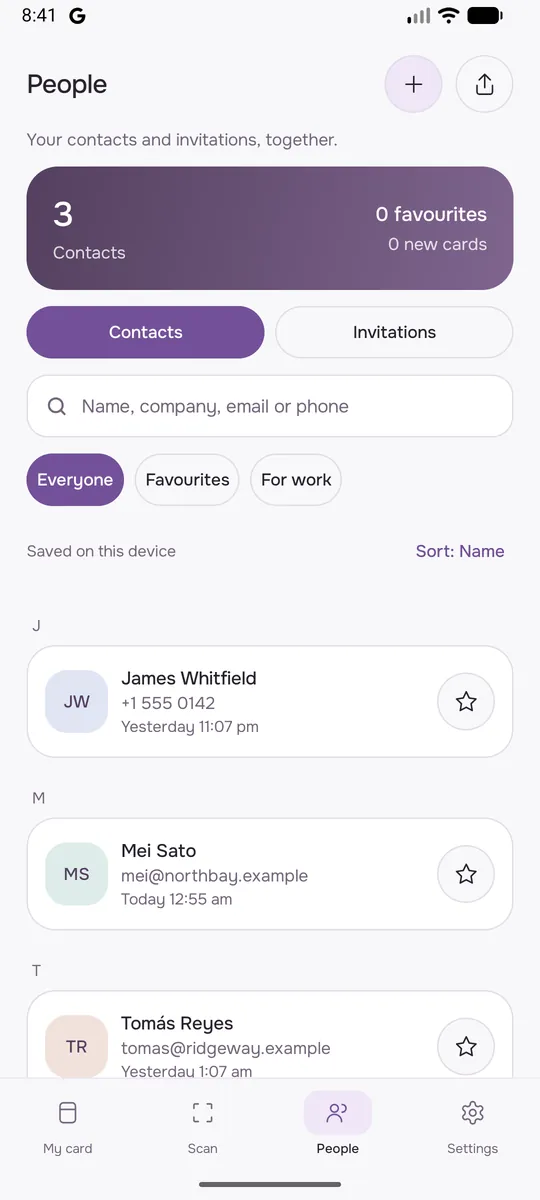
Make it unmistakably yours.
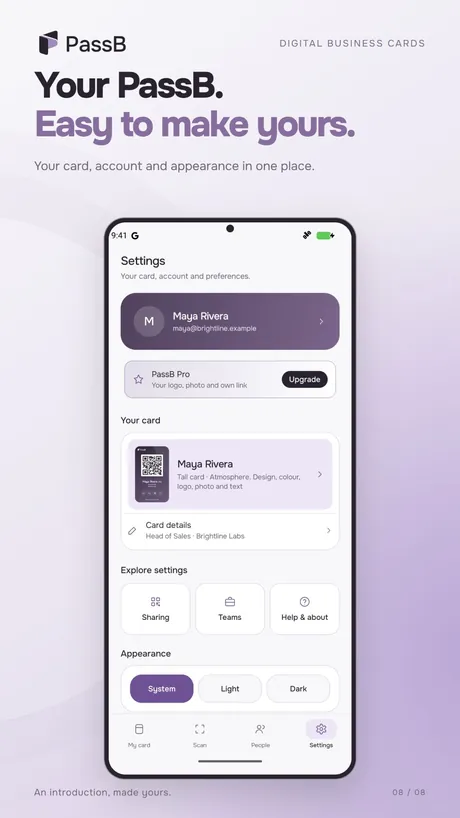
Pro changes everything else on your card. It is optional.
- Your own colours and gradients, logo, photo, text and contact rows
- Your own link: passb.app/yourname
- Export the people you meet to Excel or CSV
- 2 events a year with yearly Pro
Designed for iPhone Duo.
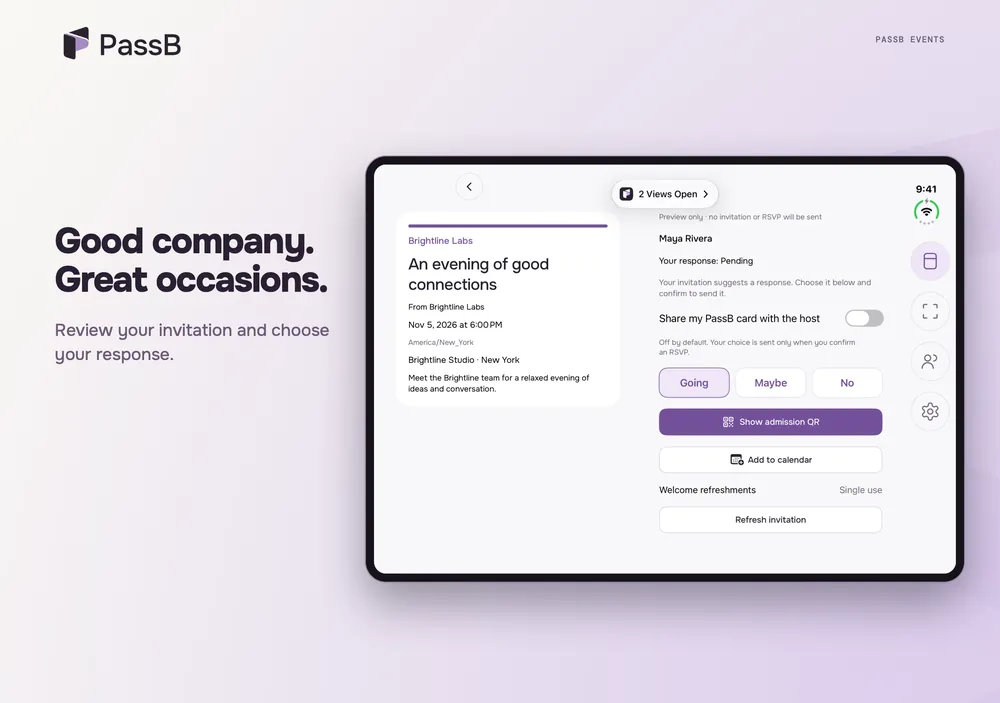
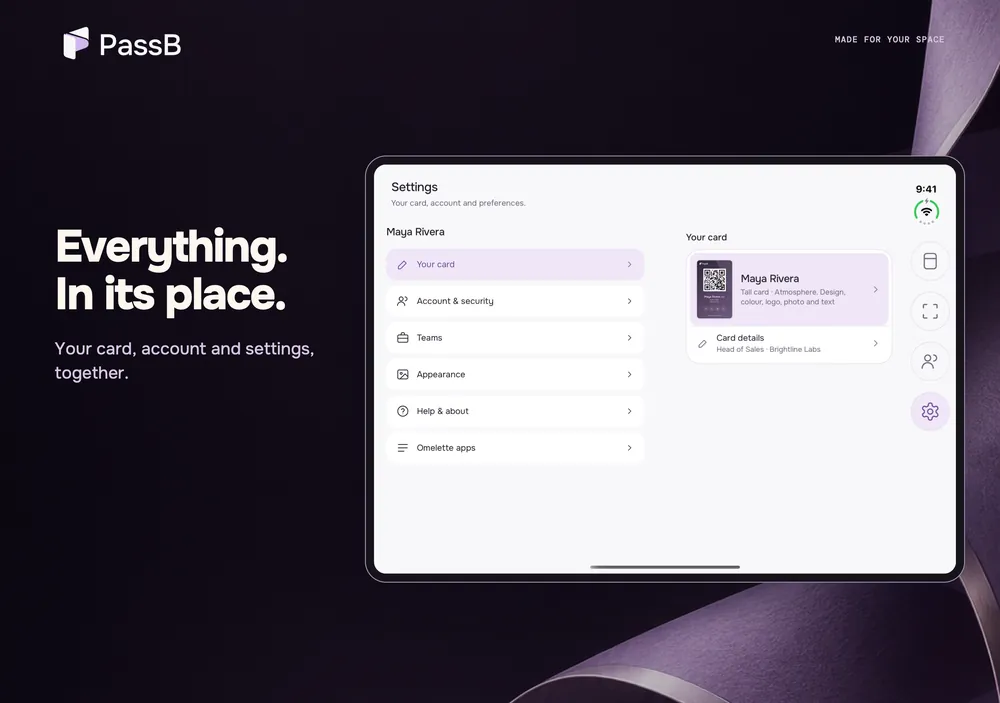
PassB is made for iPhone Duo. Folded, your card is a QR they can scan. Opened, you choose what they see right beside your card.
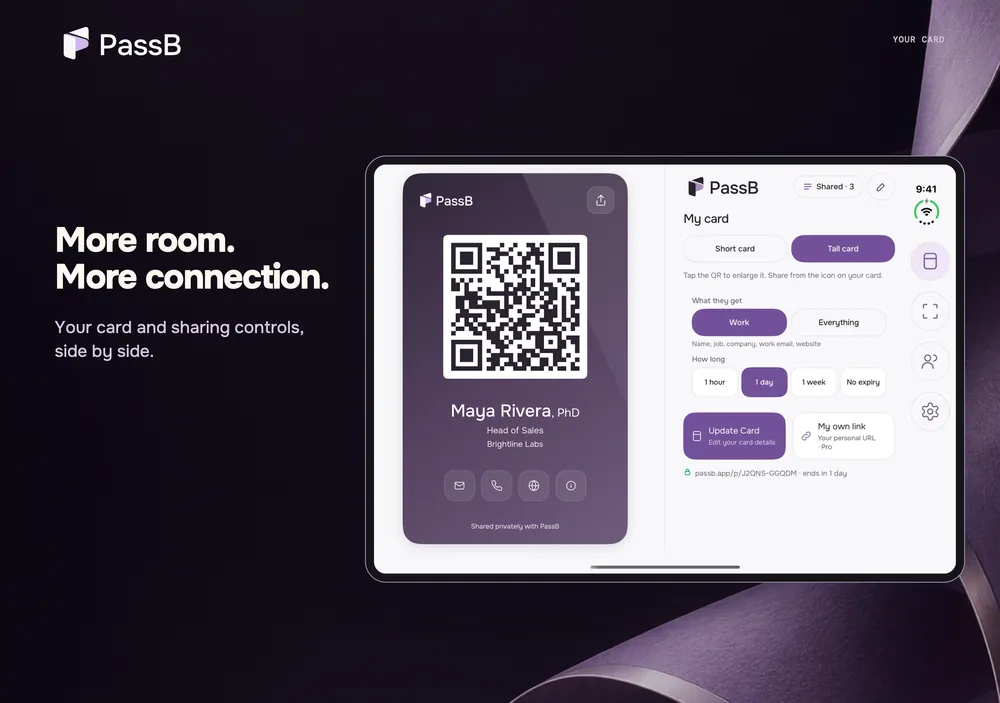
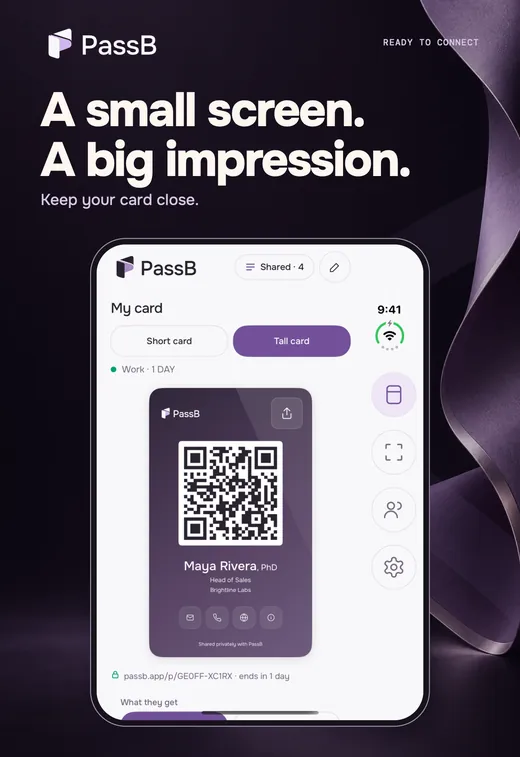
Card styles, settings and the people you meet, each laid out for the bigger screen. See every iPhone Duo screenshot.
PassB Teams: every card your company shares, in one place.
Made for sales teams, clinics, labs and conference staff. The admin console runs on passb.app, and admins can manage people in the app too.
- Give each employee a company card on their phone, in your logo and colours
- Lock the company name, logo, address and main phone; people add their own name, job and mobile
- Invite by email, upload a CSV list, or let anyone with your company email join
- See shares, opens and new work contacts by person, team or event, and download reports as CSV
- When someone leaves, suspend them: every link they shared stops at once, and their work contacts stay with you
Maya Patel met Ana SilvaNorthside Clinic, at Fall Clinic Summit
Ben Carter suspendedAll 14 of his links stopped at once
Events and invitations, with a door scanner.
Invite people, see who is coming and check them in. Guests need no app. Yearly Pro includes 2 events a year with up to 20 guests each; Teams includes 2 a year with up to 50 guests each. More guests from $9, paid once.
- Make the event
Give it a name, a time and a place, then add guests by hand or from Excel or CSV.
- Send the invitation
Pick Alloy, Atmosphere or Signature and make it yours. PassB emails it, or send the link by WhatsApp, iMessage or text.
- Guests answer
Going, Maybe or Can't attend. Everyone who is going gets a personal QR pass.
- Check them in
Your staff scan passes at the door with their own PassB app. Each pass gets in once, and extras like lunch are used once.
Who sees what.
Your card is not a public page. Every share is a private link with its own rules, and you can stop it any time.
| Information | You | People you share with | Your company, on Teams |
|---|---|---|---|
| Your card details | Yes | Only what you pick for that link | Your work card |
| How often a link was opened | Yes | No | Work card shares only |
| The people you saved | Yes | No | Only those you mark for work |
| Your personal contacts, location, other apps | Yes | No | Never |
Screenshots
What PassB costs
Free
$0, always
- One card, Short or Tall, in Alloy or Atmosphere
- Unlimited private links: QR, link and tap
- Shared with, and stop any link
- Scan QR cards into People
Pro
$1.49 a month, or $11.99 a year
- Everything in Free
- Colours, gradients, logo, photo, text and rows
- Your own link: passb.app/yourname
- Export People to Excel or CSV
Teams
$2.49 a person a month, $1.99 after 25. From 5 people
- Everything in Free for every person
- Admin console and company card
- Invite by email, CSV or company email
- Shared work contacts, events and reports
- Suspend or remove someone: their links stop at once
Enterprise
Coming soon. Ask for a quote
- Everything in Teams
- Sign in with Google Workspace or Microsoft
- Send contacts to HubSpot or Salesforce
- Audit log, your own data rules, pay by invoice
Prices in USD, before sales tax. Teams is billed monthly and does not include personal Pro. In the app, Pro prices are shown in Google Play for your country.
Questions about PassB
Does the other person need PassB?
No. They scan your QR with their phone camera or open your link in a browser, and can save you to their contacts in one tap.
Is PassB free?
Yes. One card and unlimited private links are free, with no end date and no ads. Pro ($1.49 a month or $11.99 a year) adds the extras. Teams, for companies, is $2.49 a person a month, and $1.99 for each person after 25.
Can I take my card back after I share it?
You can stop the link, so your card no longer opens. If the other person already saved your details to their phone, those stay with them, the same as a paper card.
What can my company see?
Only work activity: the cards you share from your work card, how many times they were opened, and the contacts you mark for work. Never your personal contacts, where you are, or anything else on your phone.
What happens when someone leaves the company?
An admin suspends or removes them. Every link they shared from the work card stops at once, and the work contacts they made stay with the company.
Is there an iPhone app?
Yes. It is in review at the App Store now. Until then, iPhone users can open and save any PassB card in their browser.
How do I delete my account?
In the app (Settings, then Account and security), or at passb.app/account/delete. Read the PassB privacy policy.
Get PassB.
Free on Google Play for Android phones and tablets. The iPhone app is in review at the App Store.
 Google Play